
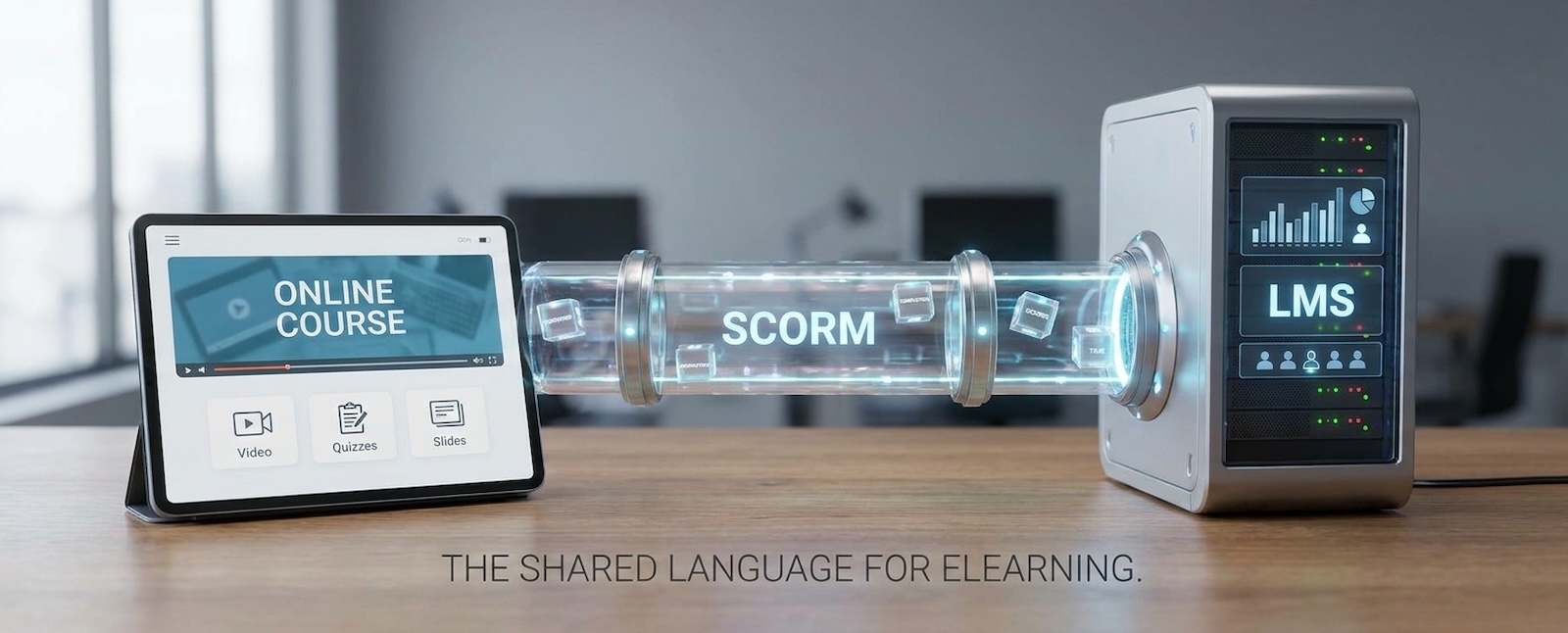

You have probably heard a supplier say a course is "SCORM compliant" and nodded along. So what is SCORM, and why does it matter? In short, it is the standard that lets an online course talk to your learning management system (LMS), the platform where your people take training and where completions are recorded. Get it right and courses upload cleanly, track properly and keep working when you change platform. Get it wrong and you can end up with a course that will not launch, or a report full of blanks. This guide explains SCORM in plain English, from what is inside a package to which version to choose.
So what is SCORM?
A shared language between courses and platforms.
SCORM stands for Sharable Content Object Reference Model. That is a mouthful, so think of it as a set of rules that online courses and learning platforms both agree to follow. It was created by the Advanced Distributed Learning (ADL) initiative, a US Department of Defense programme, so that training built in one tool would work in any compatible platform.
In practice, SCORM does two jobs. First, it packages a course into a single file that any compatible LMS can open and play. Second, it defines how the course reports back to the LMS: whether the learner started, finished or passed, how long they spent, and what they scored. When a supplier says a course is "SCORM compliant", they mean it follows those rules, so it should plug into your LMS and record results without custom work.
What is inside a SCORM package?
One zip file, with content, a manifest and a tracking link.
A SCORM package is usually a single .zip file. Open it up and you will find the following:
- The content. The pages, images, video, audio, quizzes and interactions your learners see. These are built from the same web files that power any website.
- A manifest. A small file called imsmanifest.xml that works like a table of contents. It tells the LMS what the course is called, how the pieces fit together and which file to open first.
- A tracking connection. Code built into the content that talks to the LMS through a standard interface, passing back completion, pass or fail, scores, time spent and where the learner stopped, so they can pick up where they left off.
Because everything travels together, you upload one file and the LMS does the rest. Learners open the course in their web browser through the LMS, and standard SCORM expects them to be online so results can be recorded.
SCORM 1.2 vs SCORM 2004
Old and reliable, or more features?
There are two versions you will meet most often. SCORM 1.2 is the older and simpler one, and almost every LMS supports it. SCORM 2004 is newer and adds extra capabilities, but it is more complicated to build and support for it is less consistent. The main differences are:
- Status tracking. SCORM 1.2 records a single status, such as completed, passed or failed. SCORM 2004 separates completion (did they finish?) from success (did they pass?), which gives cleaner reporting.
- Saved progress. SCORM 1.2 limits how much progress information a course can save to roughly 4,096 characters, which can be tight for long, branching courses (where the path changes with the learner's answers). SCORM 2004 (3rd and 4th Editions) allows around 64,000.
- Sequencing and navigation. SCORM 2004 can enforce rules about the order learners move through content. This is complex, and support varies between platforms, so many courses never use it.
So which should you choose? If you are not sure, SCORM 1.2 is the safest choice for compatibility, and it is enough for most straightforward courses. Choose SCORM 2004 when you need separate completion and success reporting or large saved progress, and check first that your LMS supports the edition you need. SCORM 2004 has four editions, and platforms differ on which ones they accept.
SCORM vs xAPI, and when to consider each
A course inside your LMS, or learning anywhere.
xAPI (short for Experience API, and sometimes called Tin Can) is the newer standard. SCORM records what happens inside a course launched from your LMS. xAPI records learning wherever it happens: a mobile app, a simulation, a VR headset, a workshop or a real-world task. It does this by sending simple "who did what" statements, such as "Sam completed fire evacuation", to a database called a learning record store (LRS).
- Choose SCORM for structured online courses that live in your LMS, where you want dependable completion and score reporting and the widest platform support.
- Consider xAPI for learning that happens outside a browser or outside the LMS, such as VR simulations, mobile learning and on-the-job tasks, or when you want richer data than a pass mark.
Many organisations use both: a SCORM course for the core module and xAPI for the practical parts. A third standard, cmi5, combines xAPI with a simple way for the LMS to launch the course. It is worth asking about if you are starting from scratch, but LMS support is still patchy and extremely limited, so check that your platform can play it before you commission anything. Before commissioning xAPI, check whether your LMS includes an LRS or whether you need a separate one - as that could also be a show-stopper, making SCORM a easier pathway.
How SCORM works with Moodle, Canvas and Blackboard
Upload once. Check the settings.
Most platforms handle SCORM in a similar way. You upload the zip file, the LMS reads the manifest, learners launch the course, and results appear in the course reports. The details differ:
- Moodle has a built-in SCORM activity. You add it to a course and upload the package.
- Canvas supports SCORM 1.2 and SCORM 2004 (2nd, 3rd and 4th editions), but it works through a SCORM tool that your institution has to switch on first, so check with your administrator.
- Blackboard has a SCORM Engine that plays SCORM 1.2 and SCORM 2004 content, and can play xAPI packages too, though it has no learning record store of its own. Your institution controls whether it is switched on.
Our SCORM eLearning development is designed to work with Moodle, Blackboard, Canvas and all other industry-standard platforms. We have built various interactive SCORM-compliant eLearning packages to date, including Data Protection & GDPR compliance training for over five-hundred USP College staff, and a Health and Safety package for the Thames Freeport, which you can read about in our post on VR maritime training at UK ports.
What to agree before you commission a custom SCORM course
Before a supplier starts building, agree four things:
- Which LMS and which SCORM version it must run on. Put it in writing.
- What it must track. Completion only, or scores, time spent and question-level results.
- How it will be tested. Ask for testing on your own LMS before sign-off, not just a demo.
- Who owns the source files. You will want to update the course later without starting again.
How we turned over 600 slides into two SCORM courses for Quantum Training
From slide deck to interactive course.
Quantum Training wanted to digitise training material of over 600 PowerPoint slides, creating engaging, interactive courses without the limitations of traditional synchronous learning (live sessions that everyone has to attend at the same time). Together, we designed two interactive online training courses that combined their existing material with our design, and packaged them as SCORM-compliant courses. The results:
- Consolidation of 600 PowerPoint slides
- 2X qualifications now available remotely
- 100% preference of new "always on" solution
"XR Studios didn’t just digitise content, but designed experiences that stimulated curiosity, promoted active learning, and made complex ideas accessible." says Liz Howard, Curriculum and Product Developer at Quantum Training
You can see more of this work on our training industry page.
Frequently asked questions
What does SCORM stand for?
SCORM stands for Sharable Content Object Reference Model. It is a set of technical rules that lets online courses be packaged once and played, and tracked, in any compatible LMS.
Is SCORM outdated?
SCORM dates from the early 2000s, and its last edition, SCORM 2004 4th Edition, was published in 2009. It also cannot track learning that happens outside a web browser. But almost every LMS still supports it, which makes it the safest choice for standard online courses, so it's definitely not "outdated". Newer standards such as cmi5 cover what SCORM cannot, and some organisations are exploring these alongside SCORM, but they are still emerging technologies.
Can video be SCORM?
Yes. A SCORM package can include video, audio, animation and quizzes. A video on its own does not report anything to an LMS, so it needs to sit inside a SCORM course that records views and completion. Large video files can slow down uploads and loading, so they are sometimes hosted separately and streamed into the course. That works, but the course then depends on that host staying available, so agree it with your supplier.
Ready to Build a SCORM Course That Works on Your LMS?
If you are planning a new course, or want to bring an old slide deck up to date, we can help you choose the right standard for your platform. We design, build, package and test SCORM courses in-house, under one roof. Tell us which LMS you use and we will talk through the options.
Where?
Who Сan Join?
How to Take Part?
Speakers
Countdown to the Event
The clock is ticking! Don’t miss your chance to join us – the event starts soon.
1
Months
1
Days
1
Hours
1
Minutes
1
Seconds